


Most AI interpretation platforms promise the same thing: the speaker talks, and a few seconds later the audience hears or reads their own language. The differences sit underneath that promise. This guide compares five platforms used for live events (Wordly, KUDO, Interprefy, Boostlingo and Interpretwise) on how attendees connect, which languages are actually live, whether a human interpreter can share the session, what the vendor publishes about price, and where your audio goes.
We also cover the features built into Microsoft Teams and Zoom, which are enough for some meetings. Every figure comes from the vendor's own website or help centre, checked on 29 October 2026. We build Interpretwise, so read our section with the same scepticism as the others. We have tried to hold ourselves to the same standard.
In short: this guide compares Wordly, KUDO, Interprefy, Boostlingo and Interpretwise, then the built-in features of Microsoft Teams and Zoom. Wordly is AI-only; the other four let a booked human interpreter work alongside the AI. Interpretwise publishes a full rate card and Wordly a starting package price, while KUDO and Interprefy quote per customer and Boostlingo quotes for events. All five offer a browser link for attendees, and Interprefy adds hardware receivers; every figure was checked on 29 October 2026.
How we compared the platforms
We did not rank the platforms. Each is the right answer for a different event. Instead, we recorded the same six facts for each vendor, taken from its own public pages:
- Delivery to attendees. Browser and QR code, a downloaded app, native channels inside Zoom or Teams, or hardware receivers.
- Languages. How many AI languages the vendor publishes, and whether it also offers human interpreters.
- Published pricing. Exact figures where they exist. Where a vendor only quotes, we say so.
- Delay and accuracy claims. Only what the vendor itself states, with its own caveats.
- Security and data. Certifications, hosting region and retention as published.
- Stated limits. The caveats in the vendor's help centre, which usually tell you more than the homepage.
Where a vendor's pages disagree with each other, for example on language counts, we give the range.
The five platforms at a glance
| Platform | AI languages (vendor figures) | Human interpreters | Attendee delivery | Published pricing |
|---|---|---|---|---|
| Wordly | 61 input, 67 output | No | Browser/QR, app, captions on monitors | From about $1,500 for 10 hours, annual packages |
| KUDO | 60+ to 80+ (pages vary); 77 in its table | Yes, marketplace, 200+ languages incl. sign | Browser/QR, app, native Teams panel | Quote only; annual plans from 50 hours |
| Interprefy | 82 per its knowledge base; "80+" | Yes, 6,000+ via partner agencies | Browser link, app, QR, Zoom/Teams channels, receivers | Quote only; prepaid plans from 10 hours |
| Boostlingo | 100+ to 130+ (pages vary) | Yes, RSI network incl. ASL | Browser/QR, Zoom/Teams channels | Self-serve AI Pro tiers from free to $30/user/month, Enterprise custom; events quote only |
| Interpretwise | 30+ live catalogue, 80+ on request | Yes, human channel alongside AI | Browser/QR with captions, RTMP per language | Public rate card, pay per use, €15/h platform fee |
Wordly: AI-only, with native Zoom and Teams apps
Wordly is the only AI-only platform in this group. Its church page states that human interpretation remains a good option for large, complex events planned months ahead. Attendees scan a QR code or open a link in Chrome, Firefox, Safari or Edge, choose a language, and get audio, captions or both. The language list on its site shows 61 speaker languages and 67 attendee languages.
Wordly publishes the longest integration list in this group: native apps for Zoom and Teams, a meeting bot for Zoom and Teams, Webex via RTMPS streaming, an iframe embed, an API and connectors for eight event platforms including Cvent and Bizzabo. For in-person events its guide asks for a mixer feed through an audio interface and 5 Mbps of bandwidth on the presenter connection.
Pricing comes as annual hour packages. Per its pricing page, they start at about $1,500 for 10 hours, which is also the minimum purchase, and usage is billed by the minute. Prices for the higher tiers and for add-ons such as Silent Theater and SSO are not published.
Wordly publishes SOC 2 Type II and ISO 27001:2022 certifications. Its privacy policy says personal information is stored on a server in the United States, and no retention period for audio is published. On accuracy the FAQ says "as high as 99%"; the page does not describe how this is measured.
KUDO: AI speech translation plus a marketplace of human interpreters
KUDO pairs an AI speech translator with a marketplace of human interpreters, which the company says covers 200-plus spoken and sign languages. That combination is its distinctive asset. If you need a human for one language pair or a sign language interpreter, you can book a person through the same vendor. The AI side is one-way only, in the vendor's own words, and its pages give different language totals, from 60+ to 80+, with a table listing 77.
Attendees join through a browser link or QR code on their own phone, or through a native panel inside the Teams desktop app; the Teams panel does not work in Teams for web. For Zoom and Google Meet a KUDO bot joins the meeting, the host approves it, and participants open a separate browser tab. The published caps per meeting are 32 languages and 3,000 users per language. KUDO states an average AI delay of 4.1 seconds.
Pricing is not published. There is a self-serve marketplace plan for booking interpreters online, pay-as-you-go for one-off events, and annual plans from 50 hours a year; the latter two go through sales. Published security credentials are SOC 2 Type 2 for a fourth consecutive year in 2025, ISO 27001, FedRAMP Ready status in 2021, and an optional EU-hosted deployment. The company is headquartered in New York.
Interprefy: human RSI and AI, with the most in-person delivery options
Interprefy, launched in Zurich in 2014, sells both human remote simultaneous interpretation and AI. The human side is a network it describes as 6,000-plus spoken and sign language interpreters sourced through partner agencies. The AI product's knowledge base lists 82 languages for speech in and speech or captions out.
Interprefy publishes more in-person delivery options than any other vendor in this comparison. Attendees can use a browser link, the mobile app, a QR code, or infrared and radio receivers fed from the platform; hardware consoles connect on-site booths. Inside Zoom and Teams, its "Inject" mode places interpretation in the platforms' native language channels, so attendees pick a language from the Zoom audio menu rather than opening a second device. Its newer "Agent" bot is AI-only, works in pre-scheduled meetings and shares a link that attendees open on their own device.
Pricing is quote-only: hourly, daily and prepaid plans from 10 platform hours valid for 12 months, counted in 5-minute increments with no rollover. Interprefy publishes an ISO 27001 certificate, AWS hosting with EU data residency and a 30-day GDPR deletion commitment. For captions it claims a display delay of under 0.2 seconds and accuracy of over 90% under optimal audio. For speech translation it publishes no numeric figure.
Boostlingo: human RSI network plus self-serve AI tiers
Boostlingo's product line includes on-demand phone and video interpreting. Its events line adds a human RSI network it describes as 17,000-plus linguists and 300-plus languages including ASL, alongside AI live translation with captions and optional synthetic speech. Attendees scan a QR code or open a link in a browser; its conferences page says Zoom and Teams users can also reach a Boostlingo language channel through the platforms' built-in interpretation feature.
Its published prices apply to the self-serve AI Pro tiers, not to events: a free Basic tier with one hour included, Notetaker at $16.99 per user per month with three participants and 30-minute sessions, and Teams at $30 per user per month with ten participants and 45-minute sessions. Event-scale and RSI pricing is by quote.
Boostlingo publishes an accuracy range of 90 to 98% depending on audio quality, and positions AI for lower-stakes sessions while recommending human RSI for keynotes, legal and diplomatic content. Certifications listed include SOC 2 Type II, ISO 27001:2022 and ISO 27701:2019. Language counts on its own pages range from 100+ to 130+ for AI.
Interpretwise: browser and QR for the room, with a public rate card
Interpretwise is built for the room first. Attendees scan a QR code and listen in the browser with live captions, no app and no receivers. The standard live catalogue covers 30-plus languages across Europe, the Middle East and Asia, and the engine behind it supports more than 80, which we enable per event on request. We state the smaller number up front because it is the one you can book today without asking.
What the platform offers beyond the basics:
- Premium voices for the stage. There are two voice tiers. Standard covers the full language range at a lower price; Premium offers natural-sounding voices we recommend for anything heard from the stage or on a stream. You can hear both in the replays of real sessions on our examples page before you pay anything.
- A human interpreter next to the AI. An interpreter you have booked yourself covers one or more languages from a browser console in the same session while AI covers the rest. Attendees switch channels on the same listen page.
- A dubbed stream per language. One RTMP output for each language, so a YouTube or custom stream carries translated audio synced to the video rather than captions alone.
- Multichannel audio for the venue. A Mac console routes each language to its own output channel of a multichannel audio interface. A venue can wire that into its own receiver system, hearing loop or stream mix.
- A latency report after every session. The first 100 concurrent listeners are included, and the organiser sees exactly how far behind the speaker each language ran.
Pricing is a public rate card of hourly rates before VAT, billed per started minute: €15 platform fee, €5 per source language for transcription, €10 per target language for translation, €5 or €20 per voiced language depending on the voice tier, and €15 per human interpreter channel (platform fee only; you bring and pay the interpreter). A typical two-language conference with Premium voices comes to €80 per hour. There is no subscription or annual package.
New accounts get a €25 welcome credit, no card is needed to start, onboarding and a technical rehearsal are free, and wallet top-ups start at €50. We publish no accuracy percentage. Instead, our examples page holds replays of real sessions with the original audio, which is the test we suggest for every platform in this article.
Teams and Zoom built-ins: when they are enough
Both meeting platforms now offer three separate things that are easy to confuse: AI speech-to-speech, translated captions, and a channel for human interpreters you bring yourself.
Microsoft Teams. The Interpreter agent translates speech in nine to ten languages inside the Teams client, one target language per user. It needs a Microsoft 365 Copilot licence per listener, listed at $30 per user per month on annual billing, and includes 20 hours a month. It is unavailable to guests and anonymous joiners, and in webinars, town halls and events. Translated captions need an organiser with Teams Premium or Copilot. The human channel supports up to 16 language pairs but not breakout rooms or attendees on Teams for web.
Zoom. Translated captions cover 36 to 46 languages depending on the page and need Business Plus, Enterprise or a sales-only add-on. The voice translator covers five to nine languages and is documented for the Windows and macOS desktop app; other clients are not listed. It needs the ZoomMate add-on at $20 per user per month (or $16.67 on annual billing) or a Live Translation add-on whose price is not published. Human interpretation is included from Pro upward but not in breakout rooms, and mobile and web participants can only listen.
The common limit is the audience. Each of these features serves people inside the meeting, neither Microsoft nor Zoom publishes a QR or browser path for a physical room, and Teams recordings capture the original audio only. For an internal call where everyone holds a licence, they may be all you need. For a hall, an unregistered hybrid audience or a stream, you need a platform with a browser or QR path, such as the five above.
Delay and accuracy: what vendors claim and how to check
KUDO publishes an average AI delay of 4.1 seconds. Wordly describes audio as arriving after each completed sentence. Interprefy says speech is processed "in under a second" and delivered "within seconds" but publishes no end-to-end figure, and Boostlingo calls its AI captions "near-instant" without a number. Interpretwise runs a few seconds behind the speaker and reports the measured value per session.
Accuracy claims are even harder to compare: "as high as 99%" (Wordly), 90 to 98% (Boostlingo), over 90% by word error rate for captions under optimal audio (Interprefy), 4.25 out of 5 in blind linguist tests (KUDO). No two are measured the same way. Wordly publishes no method at all, and Interprefy and Boostlingo add that results depend on audio quality and accent; our guide to AI interpretation accuracy explains why. The practical test is the same for all: send the vendor a 10-minute recording of your real speaker and listen to the output with someone who knows both languages.
Frequently asked questions
Which AI interpretation platform supports the most languages?
Boostlingo lists the most AI languages by its own published figures, at 100+ to 130+, with Interprefy next at 82 in its knowledge base. KUDO publishes 60+ to 80+, Wordly 67 output languages, and Interpretwise 30+ live with 80+ on request. Counts change often and several vendors' own pages disagree with each other, so confirm your specific pairs rather than the headline number.
Do attendees need to install an app?
No, none of the five platforms requires attendees to install an app. Each offers a link that opens in the phone browser, and Wordly, KUDO, Boostlingo and Interpretwise also print it as a QR code (Interprefy's QR code is read by its app). Wordly, KUDO and Interprefy also publish optional apps. Teams and Zoom features require the meeting client.
Which platforms publish their prices?
Interpretwise publishes a full rate card, and Wordly publishes a starting package price; the other three quote for events. Wordly's published figure is about $1,500 for 10 hours. Boostlingo publishes self-serve AI Pro tiers but not event pricing. KUDO and Interprefy quote per customer.
Can I combine a human interpreter with AI in one event?
Yes, on KUDO, Interprefy, Boostlingo and Interpretwise; Wordly is AI-only. Each of the four publishes its own way of combining booked human interpreters with AI. On Interpretwise the interpreter works from a browser console in the same session.
Is AI interpretation good enough for a keynote?
It depends on the content, and two of the vendors say so themselves. Boostlingo and Interprefy both recommend human interpreters for high-stakes or culturally sensitive sessions, and we agree. Our AI versus human guide sets out the cases where a person in the booth still wins.
Every figure here was checked on 29 October 2026 on the vendors' public pages; if you represent one of these companies and something has changed, write to us and we will correct it. For a longer checklist of questions to ask any vendor, see how to choose an interpretation service. To hear Interpretwise on real speech before you talk to anyone, open the examples page, or contact us to run a test with your own languages.
Related Articles

AI vs Human Interpretation: Which Is Right for Your Event?

Conference Interpretation Cost: A Complete 2026 Pricing Breakdown
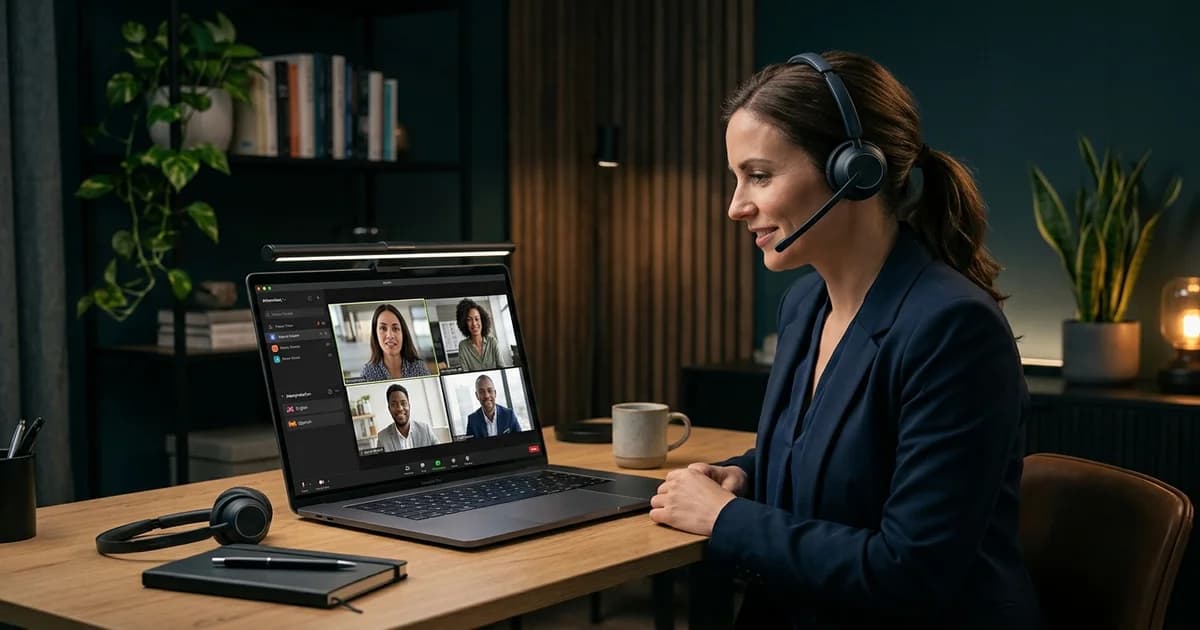
Zoom Interpretation: How to Go Beyond Zoom's Basic Feature

How to Choose an Interpretation Service: 10 Critical Questions

RSI Platform Security: The IT Checklist for Remote Simultaneous Interpretation