

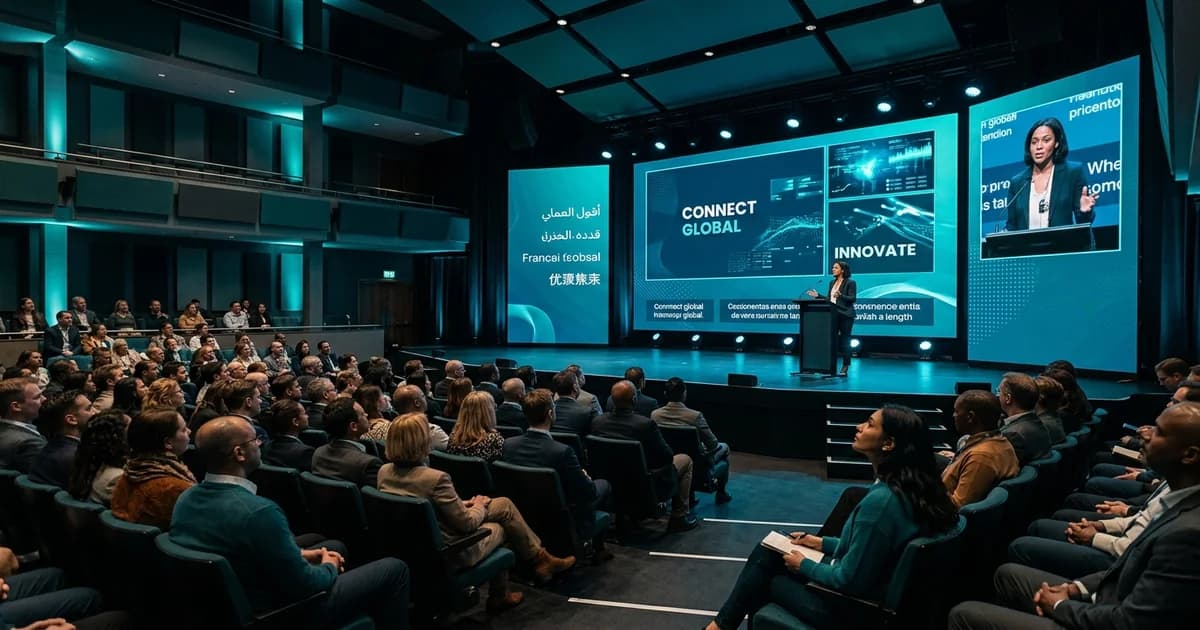
You’ve planned everything. The speakers are confirmed, the venue is booked, and the agenda is packed. But have you thought about how every single person in your audience will experience the content? In 2026, if you’re not providing live subtitles for events, you’re leaving a huge part of your audience behind.
It’s no longer a "nice-to-have."
The reality is that a massive number of attendees benefit from subtitles. This includes participants who are Deaf or hard of hearing, non-native speakers, neurodiverse individuals, or even just someone sitting in a noisy part of the conference hall. Recent reports show that 93% of delegates with a disability still face barriers at events, with communication gaps being a major issue. Live subtitles are one of the simplest and most effective ways to close that gap.
This isn’t just about ticking a box. It’s about creating a genuinely inclusive experience where every attendee feels valued and can fully participate.
What Are Live Subtitles for Events?
Think of them as real-time text on a screen that displays what a speaker is saying, as they say it. Live subtitles, sometimes called real-time captions, are generated instantly during a presentation, panel, or any live session. They can be displayed on big screens at the venue, on a participant's own smartphone, or directly within a virtual meeting platform.
Unlike pre-written subtitles for a movie, these are created on the fly. This can be done in two main ways: by a human stenographer typing at incredible speed or, increasingly, by advanced AI.
The goal is simple: give everyone a way to read along with the spoken content.
Live Subtitles vs Live Captions: What's the Difference?
You’ll hear these terms used interchangeably, and for the most part, they mean the same thing in the events world. But there's a technical distinction that's good to know.
- Live Subtitles are a direct translation of speech into text. They assume the viewer can hear, so they focus only on the dialogue. A subtitle's main job is often to translate dialogue into a different language.
- Live Captions (specifically, Closed Captions or CC) are designed for accessibility. They don't just transcribe words; they also include important non-speech sounds like
[APPLAUSE],[MUSIC PLAYING], or[LAUGHTER]. This gives people who are Deaf or hard of hearing the full context of the event's atmosphere.
In practice, most modern event platforms blend these two functions. For instance, at InterpretWise, our service includes live subtitles that can be translated into over 20 languages simultaneously, but they function like captions by providing a complete, real-time transcription of the event's audio.
Here’s a quick breakdown:
| Feature | Live Subtitles | Live Captions (CC) |
|---|---|---|
| Primary Goal | Translate or transcribe dialogue | Provide full audio context for accessibility |
| Includes Sounds | Usually no (e.g., [APPLAUSE]) | Yes, includes non-speech audio cues. |
| Audience Focus | All attendees, especially multilingual ones | Attendees who are Deaf or hard of hearing |
| Common Use | Multilingual events, foreign language content | Accessibility, compliance |
Ultimately, what matters to an event organiser is providing real-time text of the spoken content. Whether you call them subtitles or captions, the benefit is the same: clarity and inclusion.
Why Live Subtitles Are Now Essential (EAA 2025)
For years, accessibility was seen as an optional extra. That time is over.
A major driver of this change is the European Accessibility Act (EAA), which comes into full effect on June 28, 2025. This legislation mandates that a wide range of products and services sold in the EU must be accessible to people with disabilities. This directly impacts the events industry, covering everything from digital ticketing platforms to the live event experience itself.
What does the EAA mean for your event?
- It’s a Legal Requirement: From mid-2025, if your event (in-person, virtual, or hybrid) serves an EU audience, you are legally required to ensure it's accessible. This includes providing things like real-time captions. Non-compliance can lead to significant fines.
- It Affects All Digital Touchpoints: The EAA covers websites, apps, and live streams. If you sell tickets online or host virtual sessions, your platforms must be compliant.
- It's an Opportunity: More importantly, this isn't just about avoiding penalties. There are over 101 million people in the EU over 16 with a disability. By making your event accessible, you’re not just complying with the law; you’re opening your doors to a much wider audience.
The EAA is the legal push, but the market pull is even stronger. Events that prioritize inclusion don't just attract more attendees; they build a better brand reputation and create a more engaging experience for everyone.
How Live Subtitles Work at In-Person Events
You might be imagining a complicated setup with wires everywhere and a team of technicians.
It doesn't have to be like that.
Traditionally, adding live captions meant hiring a CART provider (Communication Access Real-time Translation) who would use a stenography machine, often requiring a dedicated audio feed and hardware at the venue. This can be costly and requires weeks of advance booking.
Modern platforms have made this much simpler.
With a solution like InterpretWise, the process is streamlined:
- Audio Capture: The audio from the stage microphones is fed into our platform. This can be a clean feed from the AV desk or even just a strategically placed microphone.
- Instant Transcription: Our hybrid system uses a mix of powerful AI and, if needed, human interpreters to transcribe and translate the speech in real-time.
- QR Code Access: This is the key. Attendees simply scan a QR code displayed on screens around the venue or on their name badge.
- View on Their Own Device: The live subtitles appear instantly in the web browser on their own smartphone. No app download needed. They can choose their language and read along at their own pace.
This no-hardware approach means you don't need special booths, receivers, or a massive AV team. Setup can take less than 30 minutes, compared to the half-day of work traditional systems often need.
Live Subtitles for Hybrid and Virtual Events
For hybrid and virtual events, the need for subtitles is even more critical. Your audience is geographically dispersed, likely multitasking, and includes an even wider range of language backgrounds.
The good news is that integrating live subtitles into a virtual or hybrid setup is incredibly straightforward. Because platforms like InterpretWise are software-based, they integrate directly with all the major virtual event platforms.
How it works with Zoom, Teams, and Google Meet:
- Our platform joins your virtual meeting just like another participant.
- It "listens" to the speaker and streams the audio to our cloud.
- The AI generate the subtitles.
- Attendees can view these subtitles either as an overlay in the meeting platform itself or by opening a separate browser window via a simple link.
This means you can have live subtitles in over 20 languages running simultaneously during a Microsoft Teams meeting, a Zoom webinar, or a YouTube Live stream. It brings the same level of accessibility and multilingual support to your online audience as it does to your in-person one. You can see a live demo to understand how easily it connects to your existing workflow.
How to Add Live Subtitles to Your Event in Minutes
Ready to get started? Here’s a simple, step-by-step guide to implementing live subtitles with a platform like InterpretWise.
- Forget the Hardware: First, relax. You don’t need to order any booths, headsets, or complicated AV gear. The entire system is cloud-based. All you need is an internet connection.
- Connect Your Audio: For your event, we just need to get the audio. At an in-person event, this is a simple line-out from the main soundboard. For a virtual event, you just invite us to the meeting. That’s it. Setup takes about 15-30 minutes.
- Share the QR Code: We’ll provide you with a unique QR code for your event. You can display this on the main presentation screen, on signage at the registration desk, or even print it on attendee badges.
- Attendees Scan and Watch: Attendees scan the code with their phones. A browser window opens instantly with the live subtitles. They can select their language from a dropdown menu and start reading. There’s no app to download or account to create, removing all friction for your audience.
That's all it takes to make your event instantly more accessible and multilingual. It scales from a small 20-person meeting to a 5,000+ person conference without any change in the core setup.
This modern approach avoids the high costs and logistical headaches of traditional interpretation hardware and enterprise RSI platforms like KUDO or Interprefy, which may require more extensive onboarding. Platforms like Wordly also offer AI-powered captions, often sold in packages of hours. InterpretWise focuses on a fast, flexible setup that combines AI efficiency with the option for human nuance, all delivered through a simple QR code.
Ready to see how fast it really is? See a live demo of our platform in action.
Frequently Asked Questions
How much does live captioning for an event cost?
The cost varies a lot. Traditional human captioners (CART services) can cost $150-$300 per hour. AI-based platforms are much more affordable. InterpretWise is significantly cheaper than both traditional hardware solutions and large enterprise platforms because we’ve cut out the need for expensive equipment and long setup times.
Can I get live subtitles for an event without a Wi-Fi connection?
For the platform to generate the subtitles, it needs an internet connection to process the audio. However, attendees can access the subtitles on their phones using their own cellular data (4G/5G), so they don't necessarily need to be on the venue's Wi-Fi. This reduces the load on your event's network.
What's the real difference between AI and human captioning for events?
AI captioning is incredibly fast, scalable, and affordable, making it perfect for most events. Human captioners can sometimes offer higher accuracy for highly technical content or in situations with poor audio quality.
Is live captioning a legal requirement for my conference?
It is increasingly becoming a legal requirement. In the EU, the European Accessibility Act (EAA) makes it mandatory for many events from June 2025. In the US, the Americans with Disabilities Act (ADA) requires effective communication, which often includes captioning for public events. Beyond the law, it's a best practice for inclusion.
Making your event truly accessible and inclusive shouldn't be complicated or expensive. With modern technology, you can provide multilingual live subtitles to every attendee, no matter where they are or what language they speak. It's time to make sure every voice is heard—and understood.
If you’re ready to make your next event more inclusive, see a live demo of InterpretWise today.
Related Articles
Hybrid Event Interpretation: A Complete Technical & Logistics Guide
Event Accessibility & EAA 2025: How Live Interpretation Meets Compliance
Simultaneous Interpretation for Webinars: Everything You Need to Know
Beyond the Basics: How to Run a Truly Inclusive Multilingual Town Hall
Language Access as a Pillar of DEI: Building an Inclusive Corporate Event Strategy
Live Captions and WCAG 2.2: A Guide to Making Your Events Accessible and Compliant