

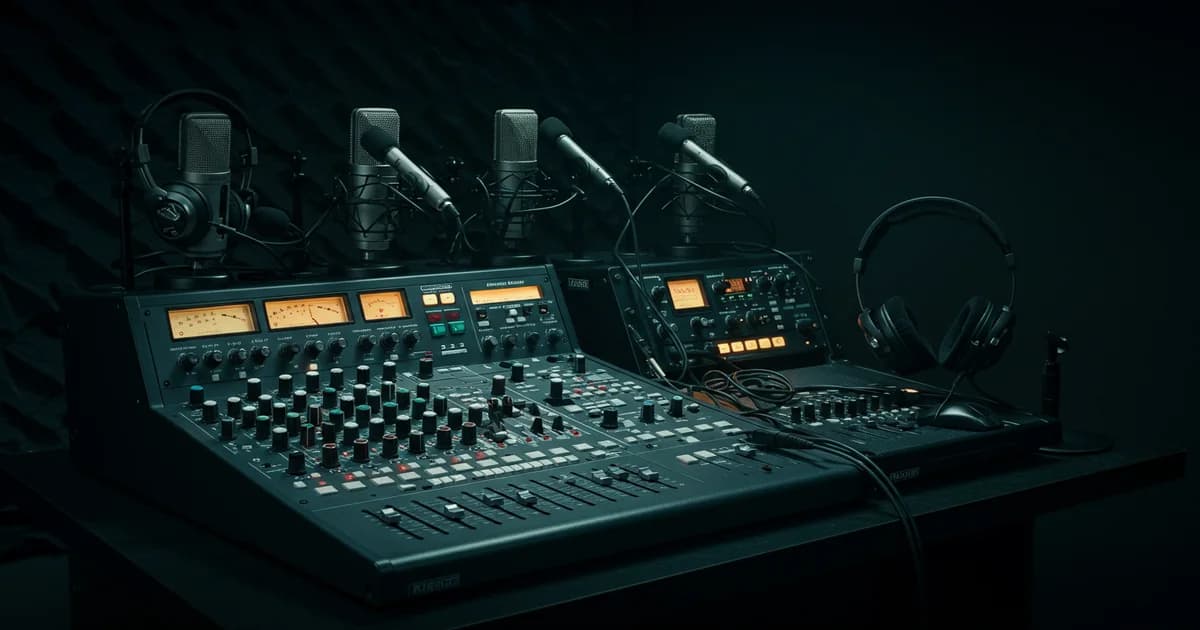
You've planned the perfect multilingual event. The speakers are prepped, the content is compelling, and your global audience is ready to tune in. But if your audio fails, the entire experience falls apart. In remote simultaneous interpretation (RSI), audio isn't just one component — it's the foundation of everything.
Poor audio from a speaker means the interpreter can't hear clearly. If the interpreter can't hear, their translation suffers. And if the translation suffers, your audience becomes disengaged, frustrated, and might just leave. It’s a chain reaction where the first domino is always sound quality. The interpreter services market is projected to reach $100.3 billion by 2035, a testament to how critical this function has become for global business.
But getting it right is more complex than just "using a good microphone." It involves the speaker, the interpreter, the A/V team, and the platform itself. This guide breaks down the technical requirements for each, giving you a complete blueprint for flawless audio in any remote or hybrid event.
Why Audio is the Most Critical Component of RSI
For interpreters, audio is their lifeblood. What might sound "good enough" for a casual listener can be completely inadequate for the intense cognitive load of simultaneous interpretation. Interpreters don't just listen; they analyze, translate, and speak all at once, requiring pristine, clean, and consistent sound.
Here’s what they’re up against with bad audio:
- Cognitive Overload: Straining to decipher muffled, quiet, or distorted audio adds immense mental pressure, leading to faster fatigue and a higher chance of errors.
- Loss of Nuance: Tone, inflection, and emphasis are vital for accurate interpretation. Poor audio flattens these details, making it impossible to convey the speaker's true intent.
- Inaudible Segments: Dropouts, background noise, or a speaker turning away from the mic can cause the interpreter to miss words or entire phrases, creating gaps in the translation.
The solution is to treat audio as a production-level priority. That means moving beyond built-in laptop mics and unstable Wi-Fi connections and implementing a professional-grade audio setup for everyone involved. As hybrid and remote interpreting continue to dominate in 2025 and beyond, getting the technicals right is what separates a frustrating experience from a successful global event.
The Speaker's Setup: Best Practices for Crystal-Clear Source Audio
The audio stream starts with the speaker. No amount of downstream technology can fix a poor-quality source signal. Your number one priority is ensuring interpreters receive a direct, clean feed of the speaker's voice.
1. The Microphone is Non-Negotiable
The single most important investment is an external microphone. A computer's built-in mic is designed for casual calls, not professional broadcasting. It picks up room echo, keyboard clicks, and fan noise, creating a muddy, distant sound.
- Best Choice: USB Cardioid Microphone. A high-quality USB mic like a Shure MV7 or Rode NT-USB+ is an excellent investment. These are "cardioid" mics, meaning they primarily capture sound from directly in front, rejecting noise from the sides and rear. Place it on a stand 4-6 inches from the speaker's mouth.
- Good Alternative: Quality USB Headset. If a dedicated mic isn't feasible, a wired USB headset (not a wireless Bluetooth one) is the next best thing. The boom microphone is positioned close to the mouth, ensuring a more consistent signal than a built-in computer mic.
- Avoid at all Costs: Wireless earbuds (like AirPods) and built-in laptop microphones. Their audio quality is heavily compressed, and they are prone to connection dropouts and battery issues.
2. The Environment Matters
A quiet, acoustically "soft" room is crucial. Hard surfaces like glass, hardwood floors, and bare walls create echo and reverb that muddy the audio.
- Choose a Quiet Space: Close doors and windows. Turn off fans, air conditioners, and any device that beeps or buzzes.
- Soften the Room: A room with carpets, curtains, bookshelves, and soft furniture is ideal. If the room is echoey, even placing some pillows on the desk can help absorb sound.
- Don't Connect from a Public Place: Coffee shops, airports, or cars are unacceptable locations for a speaker due to uncontrollable background noise.
3. A Wired Internet Connection is Essential
Wi-Fi is convenient but inherently unstable. For RSI, a hardwired Ethernet connection is the only way to guarantee a stable data stream for both sending and receiving audio. An unstable connection can cause audio to drop out, even if the video feed seems fine. Before the event, run a speed test (like fast.com) to ensure a minimum of 10 Mbps upload and download speed.
Speaker Prep Checklist:
- Ship speakers a "speaker kit" with a pre-tested USB microphone and ring light.
- Mandate the use of a hardwired Ethernet connection.
- Host a mandatory 30-minute technical rehearsal with each speaker to test their exact setup (same computer, mic, room, and internet connection).
- Brief them on proper mic technique: speak directly into the mic and don't turn your head away.
The Interpreter's Toolkit: Headsets, Mics, and Interfaces
While speakers need to be clear, interpreters need equipment that provides impeccable hearing and broadcasting capabilities. Their gear must meet stringent technical standards to ensure they can work comfortably and effectively for hours.
1. The ISO-Compliant Headset
A professional interpreter's headset is a specialized piece of equipment—consumer gaming or music headphones are not a substitute. The key is compliance with ISO standards like ISO 20109, which specifies requirements for audio quality and equipment.
Key features include:
- Excellent Sound Isolation: Over-ear, closed-back designs are essential to block out external noise and allow the interpreter to focus solely on the source audio.
- High-Fidelity Audio Reproduction: The headset must have a wide, flat frequency response (e.g., 20 Hz to 20,000 Hz) to reproduce the speaker's voice accurately without artificial bass or treble boosting.
- Noise-Canceling Boom Microphone: The microphone must reject ambient sound and be positioned to avoid picking up breathing noises.
- All-Day Comfort: Lightweight design and comfortable earcups are crucial for long assignments.
2. The USB Audio Interface
While many USB headsets are excellent, some professional interpreters prefer to separate their components for maximum quality and control. This is where a USB audio interface comes in.
An audio interface (from brands like Focusrite or PreSonus) is a small box that connects to the computer via USB. It provides:
- Superior Microphone Preamps: These boost the signal from a professional XLR microphone, delivering much cleaner and more detailed audio than a standard computer sound card.
- High-Quality Headphone Amplifier: This ensures the interpreter receives a powerful, clear signal in their headphones.
- Physical Controls: Knobs for gain and volume allow for quick, tactile adjustments without fumbling with software settings.
This setup typically involves an audio interface, a professional XLR broadcast microphone (like a Shure SM7B or Electro-Voice RE20), and a pair of professional monitoring headphones.
3. The Stable, Redundant Setup
Like speakers, interpreters must use a wired Ethernet connection. But for them, redundancy is also key. Many RSI professionals use a second device (like a tablet or laptop) and even a backup internet connection (like a cellular hotspot) to monitor the event and stay connected in case their primary system fails.
Platform-Side Audio Management: Channels, Relays, and Sound Checks
The technology platform is the central hub where all audio streams converge. A professional RSI platform like InterpretWise provides the tools to manage these complex audio routes seamlessly.
- Direct Audio vs. Floor Audio: For hybrid events, it is critical to get a direct audio feed from the speaker's microphone sent directly into the platform. You should not simply place a microphone in the room to capture the "floor audio" from the PA speakers. This room sound is full of echo and ambient noise, making it nearly impossible for an interpreter to use. The A/V team should provide a clean "mix-minus" feed from the soundboard directly to the RSI platform.
- Audio Channel Management: The platform routes the clean source audio to the interpreters. The interpreters then speak on their dedicated language channels. The platform keeps these channels separate, allowing attendees to select their desired language. On InterpretWise, you can manage over 20 languages simultaneously, all from a simple browser-based interface.
- Interpreter Relay: In events with many languages, you may use "relay interpretation." For example, a speech in Japanese might be interpreted into English by one team. Other interpreters, who may not speak Japanese but do speak English, can then listen to the English channel and interpret it into their own languages (e.g., French, Spanish, German). This requires a platform capable of managing complex audio routing between channels without latency.
- The Technical Sound Check: Before any event, a full sound check is mandatory. This isn't just about checking if mics work; it's about checking the quality. The A/V technician, the remote speakers, and the interpreters should all be present. The technician verifies the direct feed, and the interpreters confirm that the audio they are receiving is clean, clear, and at a comfortable volume.
A robust, browser-based platform removes significant technical hurdles. With InterpretWise, for instance, there's no hardware to install and no apps for attendees to download. Setup can be done in under 30 minutes, and integrations with platforms like Zoom, Teams, and Google Meet make it easy to add professional interpretation to your existing workflow.
A/V Team Checklist: How to Brief Your On-Site or Virtual A/V Team
Your A/V team is your partner in ensuring audio quality, especially for hybrid and large-scale events. They need a clear brief focused on the specific needs of simultaneous interpretation.
Your Briefing Must Include:
- Demand a Direct Audio Feed: Specify that for every active speaker, you require a clean, pre-fader audio output from the mixer. This is often called a "clean feed" or "mix-minus" and should contain only the speaker's microphone, with no music, video playback audio, or room ambiance.
- Microphone Management: Every speaker must have their own dedicated microphone. For Q&A sessions, have dedicated microphones for the audience, and instruct the A/V tech to mute any open mics that are not in use to prevent feedback and background noise.
- Preventing Audio Feedback: The A/V team should ensure that on-site PA speakers are positioned in front of the microphones and are not pointed toward them. Proper gain staging on the mixer is also critical to prevent feedback loops.
- Interpreter Audio Feed: The interpreters need to hear not only the remote speakers but also any audio from the live venue (like video clips or an in-room presenter). The A/V team is responsible for creating a mix of all relevant sources and sending it as a single, clean feed to the RSI platform.
- Run-of-Show Review: Walk the A/V team through the entire event schedule, highlighting every point where audio sources might change (e.g., switching from a remote speaker to an on-site panel).
FAQs: Troubleshooting Common RSI Audio Issues
Even with perfect planning, issues can arise. Here are answers to some of the most common audio problems.
PAA: What kind of microphone is best for simultaneous interpretation?
For speakers, the best choice is a high-quality USB cardioid microphone that sits on a desk stand. For interpreters, a professional, ISO-compliant headset with an integrated noise-canceling boom microphone is the standard.
PAA: How do you ensure good audio quality for remote interpretation?
You ensure quality by mandating three things for all speakers and interpreters: a wired Ethernet connection, an external high-quality microphone or headset, and a quiet, non-echoing room. Conducting a mandatory technical rehearsal is also essential to verify the setup beforehand.
PAA: What are the technical requirements for remote simultaneous interpretation?
The core technical requirements are a stable, high-speed wired internet connection (at least 10 Mbps upload/download), a professional-grade external USB microphone or ISO-compliant headset, a computer powerful enough to handle video streaming, and use of a professional RSI platform.
PAA: How do I stop audio feedback during a virtual event?
Audio feedback in a hybrid event is caused by a microphone picking up its own amplified sound from a speaker. To stop it: 1) Move microphones further away from speakers. 2) Point directional microphones away from speakers. 3) Reduce the volume of the speakers. 4) Mute any microphones that are not actively being used.
Getting audio right is the most challenging—and most important—part of any event with remote simultaneous interpretation. By adopting a professional mindset and ensuring every link in the audio chain is strong, you create an inclusive, accessible, and engaging experience for your entire global audience.
If you're tired of wrestling with audio issues and want a platform designed to make it simple, book a demo of InterpretWise and see how our browser-based solution can handle the technical complexities for you.
Related Articles

Live Subtitles for Events: The Complete Guide (2026)
Hybrid Event Interpretation: A Complete Technical & Logistics Guide
What Is Remote Simultaneous Interpretation (RSI)? The 2026 Guide
The True Cost of Interpretation Booths (And How to Cut It by 80%)
RSI Platform Security: The IT Checklist for Remote Simultaneous Interpretation

Speaker's Guide: How to Present at a Multilingual Event

How to Integrate Browser-Based Interpretation Into Your Event Tech Stack